
Google Chrome has a bug in version 100 where it fails to read the macOS permissions database correctly. The immediate workaround is to launch your meeting in Safari. However, the permanent fix is also pretty quick.
1) Make sure that Google Chrome is updated to version 101 or higher. From the Chrome menu, select "About Google Chrome"
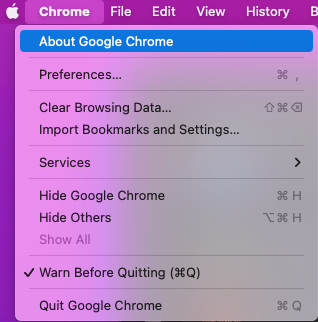
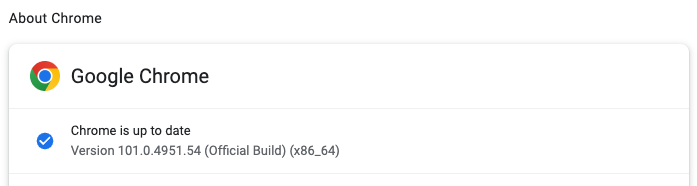
Next, quit Google Chrome, and open Terminal
Copy and paste these three commands into your Terminal window, one at a time
tccutil reset ScreenCapture com.google.Chrome
defaults delete com.google.Chrome PurgeStaleScreenCapturePermissionSuccessEarly2022Success
defaults delete com.google.Chrome PurgeStaleScreenCapturePermissionSuccessEarly2022Attempts
Now you should be able to grant the permission to Google Chrome on your own, and Google Chrome will honor the correct settings.

Comments
0 comments
Please sign in to leave a comment.